If a single session is used continuously for a long period of time, translation quality in some languages may decrease as the session progresses. For this reason, we recommend dividing longer events or programs with multiple parts into separate sessions.
Also, each session can be configured with a different language combination, giving you more flexibility across the event. For example, if the morning session uses Korean, English, and Chinese, while the afternoon session uses Spanish, German, and Malay, separating them into different sessions makes setup changes and overall operation much easier.
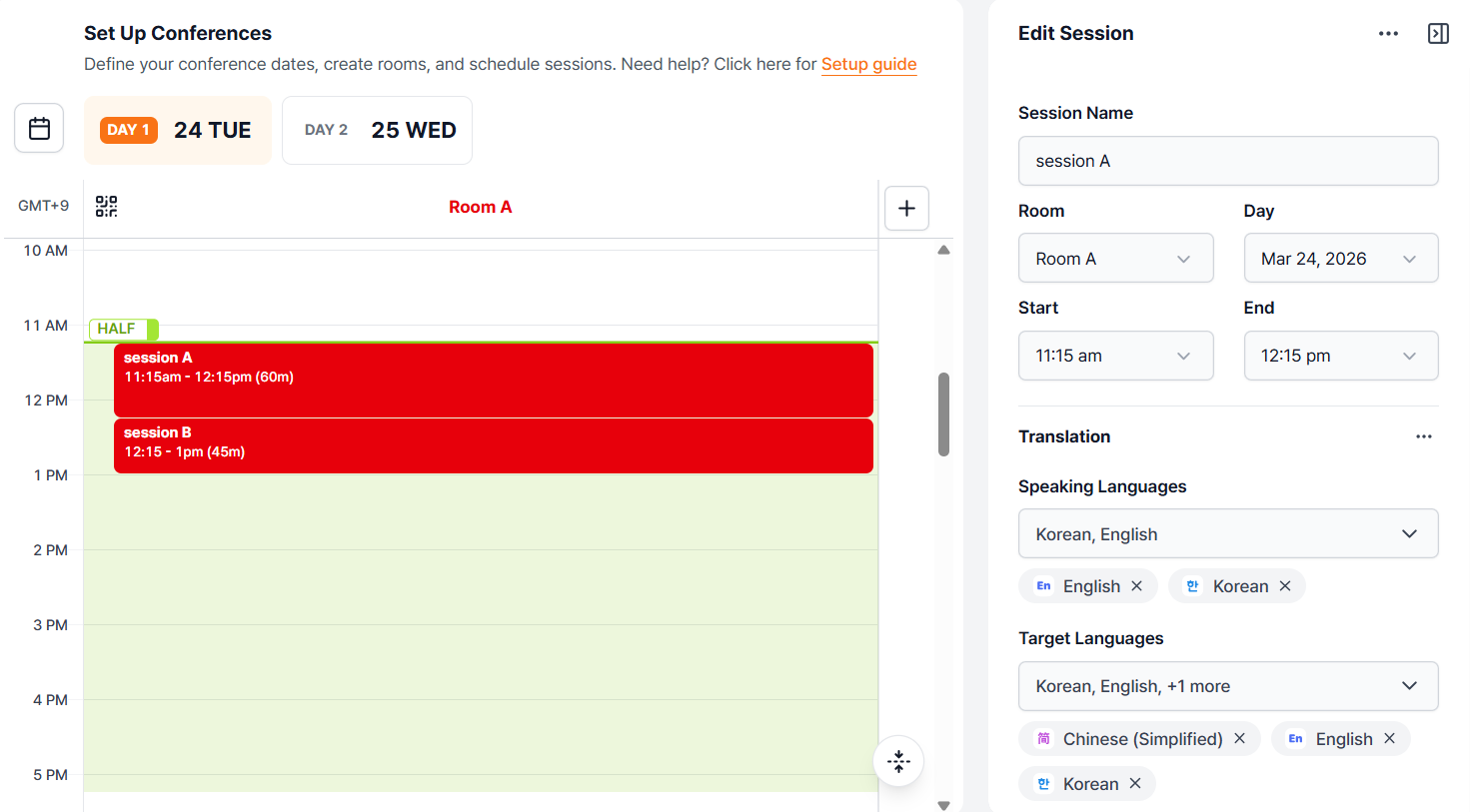
Session A
(Speaking Language(s): Korean, English / Target Language(s): Korean, English, Chinese)
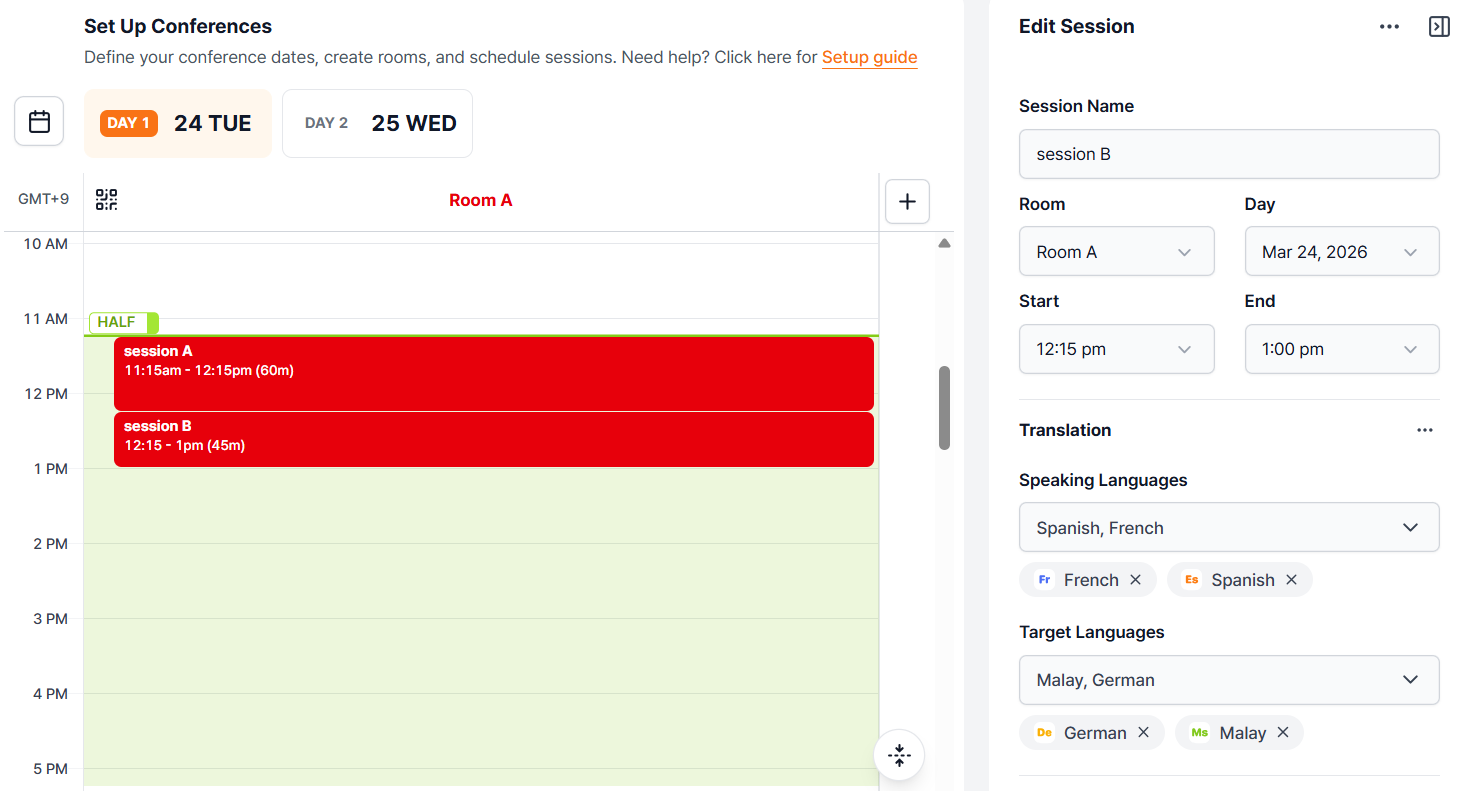
Session B (Speaking language(s): French, Spanish / Target Languages: German, Malay)
You can also apply different glossaries to each session.
If each session covers different topics and uses different terminology, it is recommended to separate them and apply a glossary tailored to each one.
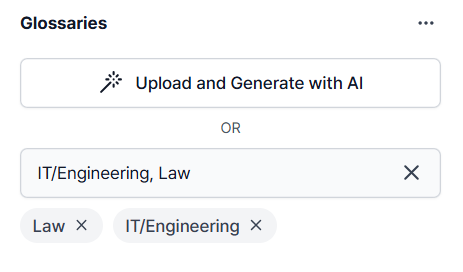
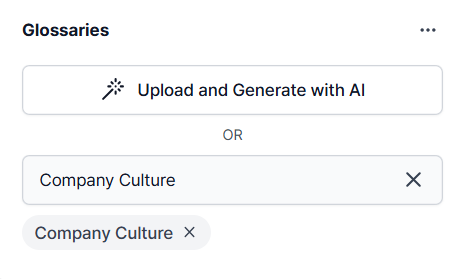
For example, if the morning session includes legal and IT/engineering presentations, while the afternoon session focuses on company culture, you can apply a custom glossary for each session to improve translation accuracy.
Session A (Law, IT/Enginnering)
Session B (Company Culture)
In short, creating multiple sessions helps maintain more stable translation quality and allows language settings and glossaries to be managed more efficiently for each session.
Related article:
If this guide does not resolve the issue, users can reach out for further assistance:
Go to EventCAT Help Desk
Need more help? contact@eventcat.com
Was this article helpful?
That’s Great!
Thank you for your feedback
Sorry! We couldn't be helpful
Thank you for your feedback
Feedback sent
We appreciate your effort and will try to fix the article